

Introduction
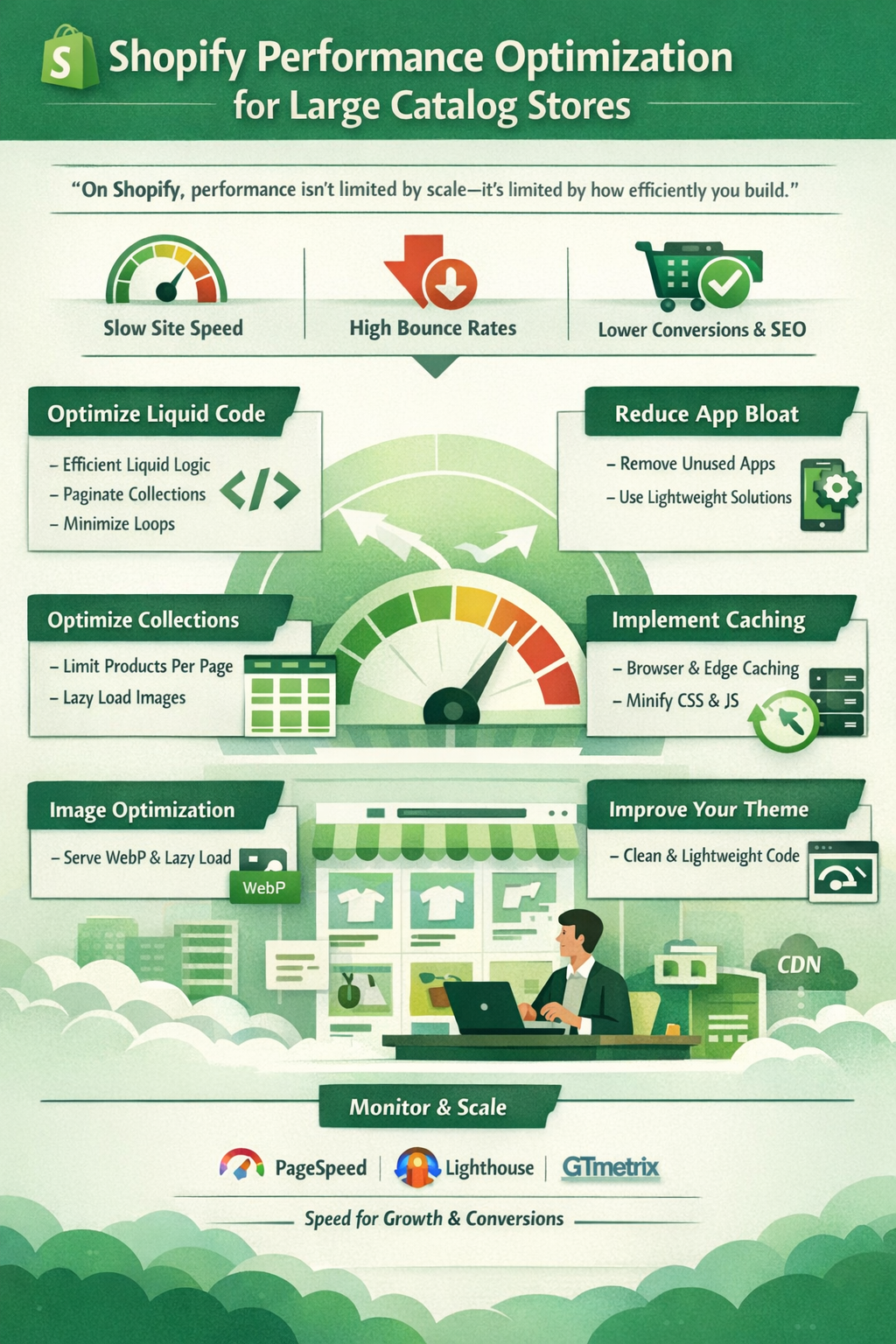
As Shopify stores grow, so do their challenges. Large product catalogs, multiple collections, heavy apps, and complex Liquid logic can significantly impact site speed and user experience. For high-traffic and enterprise-level stores, Shopify performance optimization is not just about speed—it directly affects conversions, SEO rankings, and scalability.
This guide explores proven Shopify speed improvement techniques focused on Liquid optimization, app management, and caching strategies—specifically tailored for large catalog stores.
“On Shopify, performance isn’t limited by scale—it’s limited by how efficiently you build.”
Why Performance Matters for Large Shopify Stores
Slow Shopify stores face more than just poor user experience. Performance issues can lead to:
- Lower Google Core Web Vitals scores
- Higher bounce rates on collection and product pages
- Reduced conversion rates
- Increased cart abandonment
- Poor SEO visibility
For stores with thousands of SKUs, optimization becomes essential to maintain growth and stability.
1. Optimize Liquid Code for Scalability
Liquid plays a major role in Shopify performance, especially on collection and homepage templates.
Best Practices for Liquid Optimization
- Avoid heavy
forloops on large collections - Use
paginateto limit product rendering - Minimize nested loops
- Replace repeated logic with snippets
- Use
where,limit, andfirstfilters efficiently
Example:
{% paginate collection.products by 24 %}
  {% for product in collection.products %}
    {% render 'product-card', product: product %}
  {% endfor %}
{% endpaginate %}
Efficient Liquid logic directly improves Shopify speed improvement for large catalogs.
2. Reduce App Load and App Bloat
Apps are one of the most common performance bottlenecks in Shopify.
How Apps Affect Performance
- Inject extra JavaScript and CSS
- Increase DOM size
- Add blocking scripts
- Slow Time to Interactive (TTI)
Optimization Tips
- Audit apps regularly and remove unused ones
- Prefer apps with asynchronous loading
- Replace multiple apps with custom code where possible
- Use Shopify native features instead of apps
Fewer apps = faster load times and cleaner storefronts.
3. Optimize Collection Pages for Large Catalogs
Collection pages are often the slowest pages in large stores.
Key Improvements
- Limit products per page (24–36 recommended)
- Avoid loading variant-heavy product cards
- Use lazy loading for images
- Avoid filtering logic inside loops
For advanced stores, consider faceted filtering apps optimized for performance rather than heavy custom Liquid filters.
4. Implement Effective Caching Strategies
Shopify handles server-side caching, but storefront optimization is still required.
Shopify Caching Best Practices
- Use browser caching for images and assets
- Minify CSS and JavaScript
- Combine assets where possible
- Avoid inline scripts that block rendering
For Shopify Plus stores, edge caching and advanced CDN strategies can significantly improve global performance.
5. Optimize Images and Media Assets
Large catalogs usually mean thousands of images—one of the biggest performance challenges.
Image Optimization Tips
- Use Shopify’s built-in image resizing (
img_url) - Serve images in modern formats (WebP where supported)
- Enable lazy loading for below-the-fold images
- Avoid oversized images in product cards
Optimized images dramatically improve Shopify performance optimization metrics.
6. Improve Theme Performance
Your theme plays a critical role in speed.
Theme Optimization Techniques
- Remove unused sections and snippets
- Avoid excessive JavaScript libraries
- Defer non-critical scripts
- Optimize CSS by removing unused styles
Modern lightweight themes or custom performance-focused themes perform far better for large catalogs.
7. Monitor Performance with the Right Tools
Continuous monitoring ensures long-term success.
Recommended Tools
- Google PageSpeed Insights
- Shopify Online Store Speed Report
- Lighthouse
- GTmetrix
Track metrics like LCP, CLS, and TBT to guide optimization efforts.
8. Prepare for Scalability as You Grow
Performance optimization is not a one-time task. As catalogs expand, stores must adapt.
Scalability Best Practices
- Optimize templates before adding products
- Test performance after every app or feature addition
- Use staging environments for changes
- Plan for peak traffic events
A performance-first approach ensures long-term Shopify scalability.
Conclusion
For large catalog stores, Shopify performance optimization is a business necessity—not a technical luxury. By optimizing Liquid code, reducing app load, leveraging caching, and maintaining a clean theme, stores can achieve consistent Shopify speed improvement even at scale.
Fast stores convert better, rank higher, and deliver superior customer experiences.