
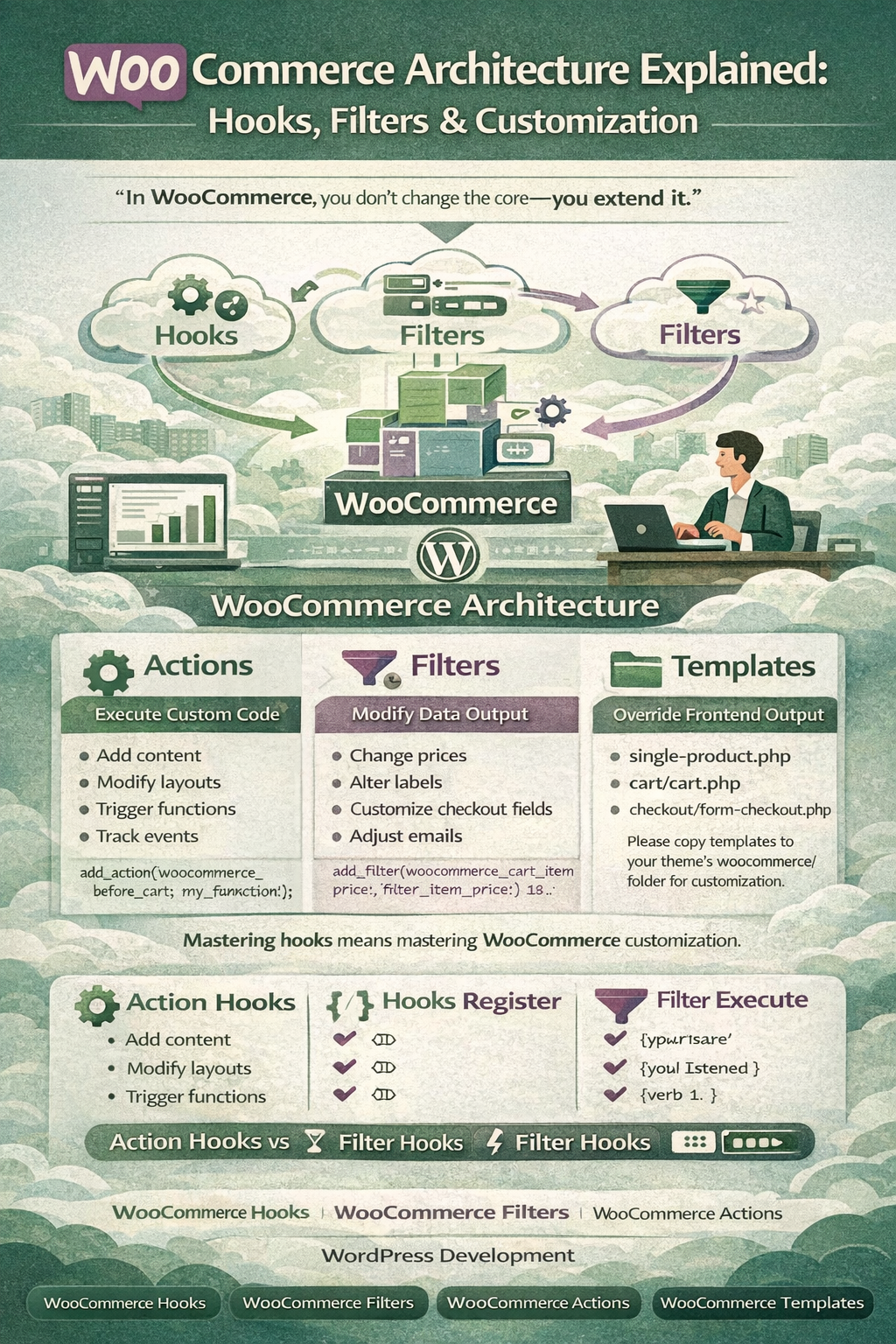

WooCommerce is not just a plugin — it’s a highly extensible ecommerce framework built on WordPress architecture. Its flexibility comes from a powerful system of actions, filters, and modular components that allow developers to customize almost every part of the store without modifying core files.
Understanding WooCommerce architecture, especially WooCommerce hooks and filters, is essential for building scalable, upgrade-safe customizations.
“In WooCommerce, you don’t change the core — you extend it.”
Understanding WooCommerce Architecture
WooCommerce follows WordPress’s core principles:
- Event-driven architecture
- Hook-based extensibility
- MVC-like separation
- Template override system
At a high level, WooCommerce consists of:
- Core plugin files
- Data models (products, orders, customers)
- Templates
- Hooks (actions & filters)
- REST API
- Custom post types & taxonomies
This architecture allows deep customization without touching core code.
Core Components of WooCommerce
1. Custom Post Types
WooCommerce uses WordPress post types:
| Data Type | Post Type |
|---|---|
| Products | product |
| Orders | shop_order |
| Coupons | shop_coupon |
This ensures compatibility with WordPress features like meta fields, revisions, and REST APIs.
2. Data Models (CRUD System)
WooCommerce introduced a CRUD layer:
WC_ProductWC_OrderWC_CustomerWC_Cart
This abstraction allows:
- Data consistency
- Easy extension
- Database independence
Developers should always use CRUD methods instead of direct database queries.
“If you bypass WooCommerce CRUD, you bypass stability.”
Hooks in WooCommerce
Hooks are the backbone of WooCommerce customization.
There are two types:
- Actions
- Filters
WooCommerce Actions
Actions allow you to execute custom code at specific points.
Example Use Cases
- Add custom content on product pages
- Modify checkout layout
- Trigger integrations
- Add tracking scripts
Example Action Hook
add_action('woocommerce_before_add_to_cart_button', function() {
    echo '<p>Custom message before Add to Cart</p>';
});
Actions do not return values — they perform tasks.
WooCommerce Filters
Filters allow you to modify existing data before output.
Example Use Cases
- Change product prices
- Modify checkout fields
- Alter shipping labels
- Customize emails
Example Filter Hook
add_filter('woocommerce_product_get_price', function($price, $product) {
    return $price * 0.9;
}, 10, 2);
Filters must return a value.
| Feature | Actions | Filters |
|---|---|---|
| Modify data | ❌ | ✅ |
| Add logic | ✅ | ✅ |
| Return value | ❌ | ✅ |
| Output content | ✅ | ❌ |
WooCommerce Template System
WooCommerce templates control frontend output.
Templates live in:
woocommerce/templates/
To customize safely:
your-theme/woocommerce/
Common Templates
single-product.phparchive-product.phpcart/cart.phpcheckout/form-checkout.php
Never edit plugin templates directly.
“Template overrides should be minimal — hooks should do the heavy lifting.”
Recommended Customization Strategy
Best Practice Order
- Use hooks first
- Use filters second
- Override templates only if required
- Never modify core files
This ensures compatibility with WooCommerce updates.
WooCommerce Customization Examples
Add Custom Field to Checkout
add_filter('woocommerce_checkout_fields', function($fields) {
    $fields['billing']['billing_vat'] = [
        'label' => 'VAT Number',
        'required' => false,
        'class' => ['form-row-wide'],
    ];
    return $fields;
});
Modify Add to Cart Text
add_filter('woocommerce_product_single_add_to_cart_text', function() {
    return 'Buy Now';
});
WooCommerce Hooks Execution Flow
Simplified flow:
- WordPress loads plugins
- WooCommerce initializes
- Hooks are registered
- Templates render
- Hooks fire dynamically
This event-driven flow allows unlimited extensibility.
WooCommerce REST API Architecture
WooCommerce exposes REST endpoints for:
- Products
- Orders
- Customers
- Coupons
- Shipping
This enables:
- Mobile apps
- Headless WooCommerce
- ERP & CRM integrations
WooCommerce REST API works seamlessly with hooks for automation workflows.
Performance Considerations
Improper hook usage can affect performance.
Best Practices
- Avoid heavy logic in loops
- Cache expensive operations
- Use transients
- Avoid excessive anonymous functions
- Remove unused hooks
“Hooks are powerful — but misuse turns flexibility into technical debt.”
Why Understanding WooCommerce Architecture Matters
Developers who understand internal architecture can:
- Build scalable stores
- Avoid update conflicts
- Create clean plugins
- Maintain performance
- Deliver enterprise-grade solutions
WooCommerce is flexible — but only when used correctly.
Conclusion
WooCommerce architecture is built around hooks, filters, templates, and data abstraction. Mastering WooCommerce hooks and WooCommerce architecture allows developers to customize behavior cleanly, safely, and efficiently.
Instead of rewriting logic, WooCommerce encourages extension — making it one of the most developer-friendly ecommerce platforms available.
“Master the hooks — and WooCommerce becomes limitless.”